
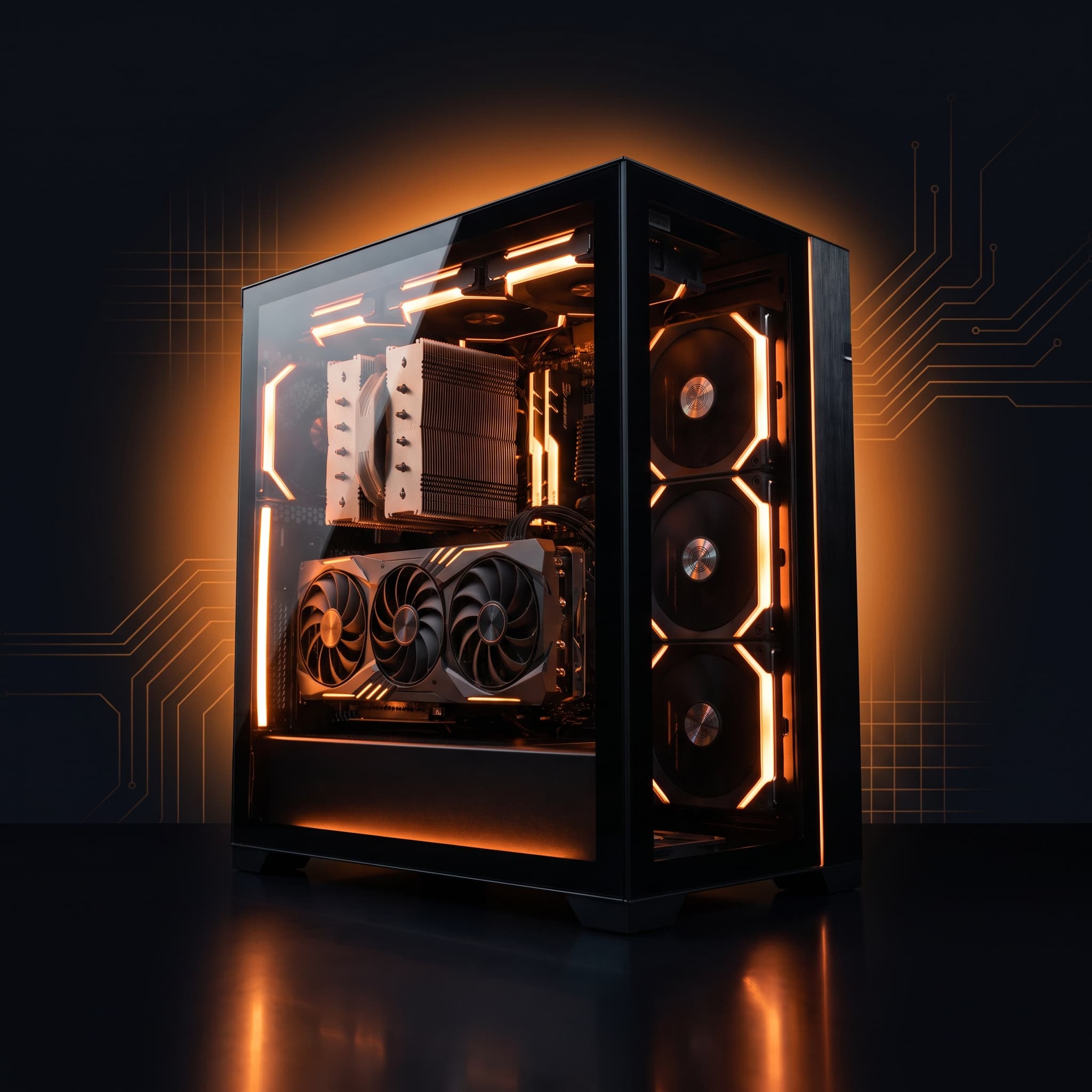

A new gaming PC is, for many, the biggest purchase of their hobby – and as a beginner you quickly feel overwhelmed by abbreviations like "RX 9060 XT", "7800X3D" or "DDR5". This guide takes away the fear: we picked six configurations that cover everything from the affordable entry level to uncompromising high-end. Each one is rated honestly – not just for Valorant (which runs on almost anything anyway), but also for Fortnite, the eagerly awaited GTA 6, streaming, photo/video editing and multitasking. By the end, you'll know exactly which PC fits your budget and your games.
In short: For pure Valorant, even the entry PC is more than enough (200+ FPS). Paying more mainly pays off for Fortnite on max details, for future-proofing with GTA 6 and for streaming. Honest recommendation, no paid advertising – we recommend these configurations because the value and build quality are right.
The 6 picks at a glance
All six configurations come as a parts list with a Geizhals price comparison – for building yourself or for having a retailer of your choice assemble them. Important for your budget: Windows is not included in any parts list. Budget for a Windows 11 license (Home or Pro) or use a license you already own, otherwise your new PC will greet you with a missing-operating-system notice instead of a desktop. You can adapt every parts list to your needs – more storage, a different processor, a larger SSD and so on. Note: memory has become much more expensive in 2026 – the box below shows the current RAM and SSD prices that are already included in our guide prices.
The Ryzen 5 5500 and RX 9060 XT (8 GB) pair up cleanly for 1080p. Only in very CPU-heavy titles at extremely high FPS can the processor slightly set the pace – completely uncritical in this price range.
Eight cores meet a 16 GB graphics card – both components mesh cleanly, with no relevant bottleneck at 1080p or 1440p.
Modern DDR5 CPU and a beefy GPU are tuned for 1440p. At 1080p with very high FPS the CPU sets the pace – normal and intended at that resolution.
One of the best gaming CPUs meets a strong 20 GB GPU – near-perfect balance from 1080p to 4K, practically no bottleneck.
One of the fastest gaming CPUs and a current-generation high-end GPU – uncompromisingly balanced, full performance at any resolution.
 AI illustration
CPU and GPU are perfectly matched – in Valorant nothing limits you. Honestly: your monitor and your reflexes give out before this machine does. The only real bottleneck here is your bank balance.

How to read the bars: 80–100% = top, 50–79% = solid, below 50% = limited. The score in the ring is the rounded average of all eight bars – so price/performance counts too. The values are our editorial assessment of suitability per use case, not lab benchmarks.
Every PC in detail
Entry (€1,157): Ryzen 5 5500 + RX 9060 XT 8 GB – the clever bargain
For whom? For anyone who mainly plays Valorant, CS2, League of Legends, Rocket League or Fortnite – so, most people – and does not want to spend a cent more than necessary. The Ryzen 5 5500 has six cores – more than enough for shooters – and the Radeon RX 9060 XT with 8 GB is a modern entry-level graphics card that drives Valorant with triple-digit FPS with ease. In numbers: in Valorant, 200 to over 300 FPS are realistic depending on settings, so you get the maximum even out of a 144 Hz or 240 Hz monitor.
The limits: the 8 GB graphics card and 16 GB of DDR4 RAM are perfectly fine for today, but with very demanding future titles at high resolutions the PC will be more at home at 1080p and medium details. A later upgrade to 32 GB of RAM or a bigger SSD is possible at any time without trouble – so the PC grows with you to a degree.
Where it hits limits: the 500 GB SSD is the first thing you will sigh about. A modern open-world game happily takes 100 to 150 GB – after two or three installs the deletion ritual begins. A second drive costs little later and can be added at any time – or you plan it into the parts list right away. The 16 GB of RAM are standard too, but they are no buffer: keep Discord, thirty browser tabs and Spotify open alongside and you will notice. Bottom line: an honest, balanced machine without marketing ballast – and the cheapest ticket to triple-digit frame rates.
The character: this PC is the hatchback with steel wheels. It does not glow, it does not pose, and it will never look good in a screenshot. It launches Valorant and hands you more frames per second than your monitor can probably display – every day, without drama. Anyone who has once spent €1,500 on a machine only to find that Valorant felt exactly the same afterward will appreciate this one. Who should stay away? Anyone who wants to stream alongside, anyone playing at 1440p, and anyone who is constitutionally incapable of leaving a settings slider on medium. For everyone else it is more honest than half the competition at this price.
Mid-range (€1,517): Ryzen 7 5700X + RX 9060 XT – the all-rounder
If this roundup had a quiet winner on points, this would be it. Here you get the most rounded overall package for the money. The Ryzen 7 5700X clearly steps things up with eight cores – you notice that not only in games, but also when Discord, a browser with 30 tabs and maybe OBS for recording are running alongside. The RX 9060 XT with its generous 16 GB of video memory is the real star: precisely because upcoming games like GTA 6 tend to eat a lot of video memory, a 16 GB card in this price range really stands out and makes the PC noticeably more future-proof than pure 8 GB models.
For Fortnite that means: you can turn on the fancy Epic details with Lumen lighting and still play smoothly. For GTA 6 the specs are a good basis to start at an expected 1080p to 1440p with reasonable details at launch. The 1 TB NVMe SSD also ensures short loading times – games start and load noticeably faster than from an old hard drive.
The honest view: the 5700X sits on the older AM4 platform with DDR4 memory. That is no drawback for gaming – it simply means a CPU upgrade in a few years hits the end of the road, because AMD no longer develops this platform. In return you get the most video memory per euro on the whole list. So who is it for? Anyone who buys a PC and then just uses it for five years instead of swapping parts annually. If you are the kind of person already thinking about the next upgrade while buying, go for the upper mid-range instead – that one sits on the newer platform.
The character: the friend who orders the same dish every time and has never once been disappointed. Nothing about this PC is exciting, and that is precisely the point. AM4 is the platform AMD has officially retired – it still turns up for work every morning and does the job faultlessly. The 16 GB of video memory is the real trick here: video memory is the component manufacturers love to cut at this price, because nobody notices on a spec sheet – right up until the first game starts streaming textures in like a badly tempered slideshow. Our tip: if you are torn between this and the entry build and you play more than shooters, that roughly €360 premium is better spent than any RGB accessory you would otherwise buy with it.
Upper mid-range (€1,889): Ryzen 5 7500F + RX 9070 GRE – our editorial pick
Ask us which PC we would buy for ourselves and the same answer arrives surprisingly quickly – it is this one. It switches to the current DDR5 platform, comes with a full 32 GB of memory (double that of the two cheaper models) and combines this with the strong RX 9070 GRE. The result is a PC that shines in practically every discipline: Valorant runs at 240+ FPS for the fastest monitors, Fortnite runs smoothly with all sliders to the right, and GTA 6 should be playable at an expected 1440p with high details.
The 32 GB of RAM are the secret hero: they not only make the machine future-proof but also pleasant in everyday use – streaming via OBS, video editing, photo editing and dozens of browser tabs are handled in parallel with ease, without anything stuttering. For most buyers this is the point where the premium over the mid-range pays off most clearly.
Why this particular model is our favorite: it is the PC on the list that bothered us least while going through the specifications. The 7500F is a processor without an integrated graphics unit – that sounds like a drawback, but it is exactly why it is so cheap, since nobody uses the integrated unit in a gaming PC with a dedicated card anyway. AMD is effectively selling you a discount on a part you would not have needed. Add the current AM5 platform, which future CPU generations will also run on. The catch: 12 GB of video memory – plenty for 1440p, possibly tight for 4K textures in a few years. On balance that weighs little, which is why the "best choice" banner sits here and nowhere else.
The character: the PC we recommend to you and then quietly add to our own basket. The thing about the 7500F is almost funny: AMD saved on the integrated graphics unit, which is exactly the one component that would have twiddled its thumbs for life in a machine with a dedicated card. You are getting a discount for the absence of something you would never have used. It is a bit like being paid to skip the onions you were going to pick out anyway. And the 32 GB of RAM? That is why this machine will still feel quick in three years, while cheaper builds start pausing for thought every time you alt-tab.
High-end (€2,551): Ryzen 7 7800X3D + RX 7900 XT – no compromises
From here on, the math stops and the fun starts. This PC is for anyone who wants the best and does not intend to waste a single thought on upgrading for years. Its heart is the Ryzen 7 7800X3D – thanks to its special 3D cache it is often faster in games than significantly more expensive processors and is rightly considered one of the best gaming CPUs of all. Together with the RX 7900 XT and its 20 GB of video memory, there is practically nothing that makes this PC break a sweat.
Valorant and Fortnite run at the absolute limit anyway; it gets interesting with demanding titles and GTA 6, which here should run smoothly at an expected 4K or with high details. At the same time this PC is a workhorse: anyone who streams seriously, edits YouTube videos or works on high-resolution photos gets a system that handles all of that on the side. The only "downside": value for money is naturally a bit worse at high-end than in the mid-range – you pay disproportionately more for the last few percent of performance.
What makes the 7800X3D special: the "X3D" suffix stands for a substantially enlarged cache sitting directly on the processor. For most programs that is irrelevant – for games juggling many simultaneously calculated objects it is the difference between smooth and stuttering. That is precisely why this CPU has topped gaming-processor charts for years despite having fewer cores on paper than pricier models. The 20 GB of video memory on the RX 7900 XT are the second reason for this build: that is more than any current game needs – which is exactly the point if the PC is meant to last a few years.
The character: the 7800X3D has been living at the top of gaming CPU charts for years and shows no intention of moving out. On paper it loses to pricier chips with more cores – in actual games it regularly walks away from them, because games do not count cores, they need data quickly. That is exactly what the enormous cache sitting on the chip is for. And the graphics card? 20 GB of memory is more than any current game knows how to use sensibly. That sounds like waste and is in truth a bet on the future – and the one bet in this roundup where you can hardly go wrong. The honest note: in Valorant you will notice exactly none of this. The €1,157 machine was already fast enough there.
Ultra high-end (€2,968): Ryzen 7 9800X3D + RX 9070 XT – the absolute best
It barely gets better in this price range – and honestly nobody needs it, but that is rather beside the point here: the Ryzen 7 9800X3D is among the very best gaming CPUs – its huge 3D cache and high clock speeds mean almost nothing slows it down, even in CPU-heavy titles. The new Radeon RX 9070 XT belongs to the current graphics-card generation and delivers plenty of raw power plus modern features. Add 32 GB of fast DDR5-6000 and a massive 2 TB NVMe SSD that fits an entire game library without you constantly having to delete things.
Who is it worth it for? For anyone who uses their PC not only for gaming but also streams seriously, edits or renders in 4K – and who simply wants the best without thinking about upgrading for the next few years. In Valorant and Fortnite it's in a league of its own anyway; its real home is demanding games in 4K and heavy creative applications. Value for money is naturally a bit lower with such a top device – you deliberately pay for peak performance and long-term future-proofing.
The difference from the high-end model is smaller than the roughly €420 premium suggests, and it lies mainly in the processor. The 9800X3D is the newer generation of the same concept and in games only just behind the newer 9850X3D. On top come 2 TB of SSD instead of 1 TB, which in practice is the difference between "I need to clear something out" and "that will do". Honestly: if you are torn between high-end and ultra and the premium does not hurt, take the ultra. If it does hurt, take the upper mid-range rather than the high-end model – you will barely notice the roughly €660 saving while playing, but your bank statement will.
The character: somewhere around here runs the line between "sensibly expensive" and "I appear to have lost track", and this PC stands with one foot just on the safe side. The 9800X3D is only a few percent behind the newer 9850X3D in games, and the RX 9070 XT is a card that will still have nothing to apologize for in 2028. The underrated argument is the 2 TB SSD. It sounds mundane, but it is the difference between a machine that just works and one where every few weeks you sit in front of your Steam library deciding which game has to die. Anyone who has ever deleted a 120 GB game to install another 120 GB game they then did not play knows exactly what we mean.
Hell Machine (€10,571): Ryzen 9 9950X3D + RTX 5090 – beyond reason
This build is not a recommendation but a proof of concept – which is exactly why it belongs here. The 16-core Ryzen 9 9950X3D meets an RTX 5090 with 32 GB, backed by 64 GB of DDR5-6000 CL30 and a 4 TB PCIe 5.0 SSD on an ASUS ROG Crosshair X870E Dark Hero. A 420 mm liquid cooler keeps it quiet, and a 1300-watt 80 PLUS Titanium power supply feeds it.
For Valorant this is absurdly oversized: the game already runs well beyond 200 FPS on the €1,157 entry build, and above the 500 FPS of a 500 Hz monitor the benefit disappears anyway. The machine only starts to make sense once 4K streaming, video editing or AI workloads run alongside the game – or if you simply want the maximum without thinking about upgrades for the next eight years.
If you have the money and deliberately switch off common sense, you will find the full parts list with price comparison above under the Hell Machine.
The character: a few numbers to let sink in. The liquid cooler measures 420 millimeters – longer than some keyboards. The power supply can deliver up to 1,300 watts – more than a typical microwave; your radiator can take the winter off. And the video memory alone is twice the size of the entire system memory in the entry PC further up. What does that do for Valorant? Nothing. Absolutely nothing. Valorant was already running beyond what your monitor can display back at €1,157, and there is no meaningful step beyond "beyond". This machine is therefore not a gaming PC in the narrow sense but a workshop that happens to run games too. If you are seriously considering it, hopefully that is because you edit in 4K, train large models or work across three monitors – and not because somebody told you that you need this for a tactical shooter with cartoon graphics.
Beginner guide: what do CPU, GPU, RAM and the rest mean?
So you can hold your own when shopping, here are the most important components in simple words – no engineering degree required:
🧠 Processor (CPU)
The "brain" of the PC. It calculates the game logic and feeds data to the graphics card. For shooters like Valorant, fast cores matter more than very many – X3D processors such as the 7800X3D and 9800X3D are top of the class here.
🎮 Graphics card (GPU)
The heart of gaming. It creates the images on the monitor. The stronger the GPU and the more video memory (VRAM), the higher the details and resolutions that run smoothly.
⚡ Memory (RAM)
The short-term memory. Running programs live here. 16 GB is the minimum, 32 GB the future-proof recommendation – especially for multitasking and upcoming games.
💾 SSD / NVMe
The storage for Windows and games. An NVMe SSD is many times faster than an old hard drive – loading times shrink drastically. An SSD is a must today, not a luxury.
📺 FPS (frames per second)
How many images per second your PC calculates. More FPS = smoother, more direct feel. In Valorant, 144, 240 or more FPS is a real advantage – provided your monitor can keep up and you play with a clean crosshair.
🔮 Future-proofing
Reserves for tomorrow: more RAM, more VRAM, a faster CPU. Spending a little more means upgrading less often. That is exactly why 16 GB graphics cards and 32 GB of RAM are worth a look.
⚖️ Bottleneck
If the CPU and graphics card do not match, the weaker one holds the stronger back – that is called a bottleneck. In our configurations the parts are matched to each other, which is why every PC above has a bottleneck check.
Which PC fits me?
The quick decision helper – find your type and you instantly know which model fits:
| If this is you | Recommendation | Why |
|---|---|---|
| I almost only play Valorant/shooters, small budget | Entry €1,157 | Enough for 200+ FPS, you don't need more for that. |
| I want to play everything (incl. Fortnite/future), good value | Mid-range €1,517 | 16 GB card + 8 cores = rounded and future-proof. |
| I want high details, 1440p, maybe stream | Upper mid-range €1,889 | DDR5 + 32 GB RAM + strong GPU – best compromise. |
| I want the best and to be set for years | High-end €2,551 | 7800X3D + 20 GB GPU – uncompromising for everything. |
| Budget comes second – I want the maximum that still makes sense | Ultra €2,968 | 9800X3D + RX 9070 XT + 2 TB – hardly anything is faster. |
| I do not just play – I edit 4K video, stream alongside it or run AI workloads, and I want to leave the machine alone for years | Hell Machine €10,571 | 16 cores + RTX 5090 + 64 GB. Wildly excessive for gaming alone, unmatched for serious work next to it. |
GTA 6: what can each PC handle?
Hardly any question comes up more often when buying a PC – and hardly any is harder to answer right now. So here is the honest starting point before we get to the estimates.
GTA 6 launches on November 19, 2026 – but only for PlayStation 5 and Xbox Series X|S. To this day Rockstar has announced no PC version: no date, no storefront, no official system requirements. Every requirements table you come across online right now is guesswork – including the nicely designed ones.
Historically, Rockstar left seven to nineteen months between console and PC releases: GTA V took roughly a year and a half, Red Dead Redemption 2 just over a year. A PC release before late 2027 is therefore considered unlikely. Below we deliberately give estimates rather than measurements – nobody has measured these numbers, because the game simply does not exist on PC.
It can still be estimated sensibly, because one thing is constant: a game is built for console hardware, and that hardware is fixed. Beat it clearly and you are in good shape; fall below it and you will be reaching for the settings sliders. So let us first look at what we are actually measuring against.
The second constant: Rockstar PC ports traditionally arrive with substantially expanded graphics options. That is good news for smaller systems – sliders can come down and upscaling such as FSR takes off additional load. It also means that "maximum detail" on PC will demand more than anything the console shows.
The baseline: what is inside the consoles
Because console hardware is fixed, it is the only solid anchor for any forecast. A TFLOP is a rough measure of raw graphics throughput – higher means faster, but the number alone says nothing about memory or ray tracing performance.
| Console | Processor | Graphics | Memory |
|---|---|---|---|
| PlayStation 5 | 8× AMD Zen 2, up to 3.5 GHz | RDNA 2, approx. 10.3 TFLOPs | 16 GB GDDR6 |
| PS5 Pro | 8× AMD Zen 2, up to 3.85 GHz | Customized RDNA 2/3 with RDNA 4 ray tracing, approx. 16.7 TFLOPs | 16 GB GDDR6 + 2 GB DDR5 |
| Xbox Series X | 8× AMD Zen 2, 3.8 GHz | RDNA 2, 12.15 TFLOPs | 16 GB GDDR6 |
| Xbox Series S | 8× AMD Zen 2, 3.6 GHz | RDNA 2, approx. 4.0 TFLOPs | 10 GB GDDR6 |
Graphically that puts these consoles roughly between an RTX 2070 Super and an RTX 3060 Ti. What matters more is what they aim for with that power: according to Digital Foundry's trailer analysis the PS5 targets around 1440p at 30 FPS with ray-traced global illumination. The PS5 Pro mainly improves image quality but stays closer to 30–40 than 60 FPS because of the CPU. The Xbox Series X sits about level with the PS5, while the Series S has to cut back sharply – likely 720p with reduced or disabled ray tracing.
That leads to a calculation many find surprising: if a PS5 in the RTX 2070 Super class manages just 1440p at 30 FPS, a PC aiming for 1080p at 60 FPS needs noticeably more headroom, not less. Community analysts therefore place the practical 60 FPS floor closer to an RTX 3060 Ti or 3070. And because the PC version additionally has to cover thousands of hardware combinations, higher resolutions and more effects, PC minimum requirements historically land above console level rather than alongside it.
Why GTA 6 demands so much – four technical reasons
The high expectations do not come from nowhere; they follow from four traits of the reworked RAGE engine:
1. Density and AI simulation. A busy city with many simultaneously simulated pedestrians and vehicles loads the processor above all. GTA 6 is therefore considered strongly CPU-bound – older quad-cores stumble on crowded streets long before the graphics card runs out. This is exactly where a processor with a large cache pays off, like AMD's X3D line: in such scenes it often does more than a stronger graphics card would. On our list that means the high-end and ultra builds and the Hell Machine.
2. Ray tracing as a foundation, not a slider. Ray-traced global illumination appears to be a core part of the look – not something you simply switch off to gain performance. That design decision alone raises the bar for the graphics card.
3. Asset streaming. The world is loaded in as you move. That requires NVMe speed; a mechanical hard drive produces visible stutter. All six PCs here have an NVMe or SATA SSD, so you are covered – just do not install the game on an old secondary hard drive later on.
4. Sustained load and heat. Continuous high utilization pushes components toward their thermal limits. Sensible cooling is therefore not a luxury but the precondition for performance not collapsing after twenty minutes.
Video memory and upscaling – the underrated factor
Vice City is densely built and highly textured, and textures live in video memory. With 8 GB you can still cope at 1080p with low to medium texture settings – above that it gets tight. That is why the entry PC is the only one marked as borderline in the table below, even though its compute performance is fine for Full HD.
The relief is upscaling: techniques such as FSR or DLSS render the image smaller internally and scale it up. That costs some sharpness but saves a lot of performance and memory – and is likely the tool that keeps mid-range cards smooth even at 1440p. For 1080p and 1440p, cards in the class of an RTX 4070 with 12 GB or an RX 7800 XT with 16 GB count as a sensible target. And one reassuring note on RAM: 32 GB is recommended but not mandatory – 16 GB remains the realistic floor, since even the Xbox Series S only has around 8 GB available for the game.
The estimates going around – and why they contradict each other
Because so many people search for it, practically every hardware outlet has published a requirements table. The serious ones explain how they got there: derived from PS5 and Xbox hardware, from Rockstar's existing RAGE engine and from comparable open-world titles. That is a defensible method – but it is an extrapolation, not a measurement.
It gets interesting when you put several of these forecasts side by side: they disagree noticeably. According to one widely quoted estimate an RTX 2060 or RX 6600 already covers Full HD at 30–40 FPS, while other outlets consider an RTX 4060 Ti or RX 7700 XT necessary for the same job. That is two performance classes apart on the same question. So anyone selling you a single table as fact isn't telling you that the outlet next door comes up with different numbers.
The rough direction most of them agree on looks like this – as a corridor, not a target:
| Tier | Processor (ballpark) | Graphics card & memory | RAM & space |
|---|---|---|---|
| Minimum 1080p, 30–40 FPS | Six-core chip of the Ryzen 3000 or Core i5-9000 generation | Lower mid-range of 2020, at least 8 GB of video memory | 16 GB RAM, around 150 GB free, NVMe recommended |
| Recommended 1440p, 60 FPS | Eight-core chip of the Ryzen 5000 or Core i7-12000 generation | Upper mid-range, at least 12 GB of video memory | 32 GB DDR5, around 150 GB on a fast NVMe |
| Ultra 4K, 60+ FPS | Current top gaming CPU with a large cache, such as a 9800X3D | High end with 16 GB of video memory and up | 32–64 GB DDR5, around 200 GB on PCIe 4.0/5.0 NVMe |
Two details from these forecasts are useful regardless of GTA 6. First: the practical floor is not set by the PS5 but by the weaker Xbox Series S – it has to be supported and only has around 8 GB of memory available for the game. That is why the game will start on modest hardware at all; the only question is how it looks. Second: Windows 11 is recommended for DirectStorage, the technique that passes data from the SSD straight to the graphics card. That ties back to the note further up: since none of these parts lists includes an operating system, go straight for Windows 11 rather than an old Windows 10 license.
Place our six machines in that corridor and you get the table below. The entry PC lands near the minimum tier, the mid-range and upper mid-range builds move toward "recommended", and from the high-end model upwards there is room to spare.
| PC | Realistic expectation | Reasoning |
|---|---|---|
| Entry €1,157 | Full HD, low to medium detail, roughly 40–60 FPS | Six cores and 8 GB of video memory are the bottleneck. Playable, yes – but this is where it first gets tight, because an open-world title like GTA 6 needs a lot of memory for textures and streaming. Expect medium settings and upscaling switched on. |
| Mid-range €1,517 | Full HD smooth, medium to high detail, roughly 60–75 FPS | The 16 GB of video memory are the decisive difference from the entry build. Eight cores cover the CPU load of a dense open world. This is the threshold at which we would feel comfortable about GTA 6. |
| Upper mid-range €1,889 | Full HD high detail well above 60 FPS, 1440p comfortably playable | The DDR5 platform, 32 GB of RAM and the stronger RX 9070 GRE leave headroom. Anyone building for GTA 6 today sensibly lands here. |
| High-end €2,551 | 1440p at high detail, roughly 80–100 FPS | The 7800X3D is exactly the type of CPU open-world games benefit from disproportionately, and 20 GB of video memory is plenty even for high texture settings. |
| Ultra €2,968 | 1440p high detail above 100 FPS, 4K with compromises | A 9800X3D plus RX 9070 XT is a combination that will still count as fast in 2027. For 4K at maximum detail the video memory could get tight – for anything below that there is plenty of room. |
| Hell Machine €10,571 | 4K at high to maximum detail, very probably above 100 FPS | If GTA 6 ever makes this machine break a sweat, something went wrong with the port. 32 GB of video memory and 16 CPU cores are grotesque for the purpose – but it is also the one configuration here where 4K is not up for debate. |
The takeaway: it only gets tight on the entry PC, and for the memory reason described above – not for lack of compute. From the mid-range build with its 16 GB card onwards, carefree play begins; from the upper mid-range onwards you have headroom for higher resolutions.
Our advice: do not buy a PC solely for GTA 6 right now. The game has not been announced for PC, and by the time it arrives there will be a new graphics card generation – your money today would sit in a component that has lost a year of warranty, bought for a game whose requirements nobody knows. Buy a PC that handles the games you play today. If it happens to manage GTA 6 as well, all the better.
AMD or Nvidia? What is better in each budget
The eternal question – and the honest answer is: it depends on what you do. Both manufacturers build excellent graphics cards. Here are the rules of thumb:
AMD Radeon
Often gives you more raw frame rate per euro and more video memory (VRAM) in the entry and mid-range. The large memory in particular pays off in upcoming games like GTA 6. Perfect if your focus is Valorant, Fortnite and pure gaming.
Nvidia GeForce
Scores with streaming (the NVENC encoder delivers top quality with little performance loss), with video editing and with DLSS upscaling and stronger ray tracing. If you stream on the side or create content, a GeForce RTX is often the more rounded choice.
Our short version: Pure gamer on a budget → AMD (more performance and VRAM for the money). Streamer, YouTuber, content creator → Nvidia (NVENC, DLSS). In the upper mid-range there is little between them – then it simply comes down to the current price and which card is in the PC you want.
The right monitor – the often forgotten turbo
The best PC does little if your monitor cannot keep up. In Valorant in particular, the refresh rate (hertz, Hz) is decisive: a 240 Hz monitor shows 240 images per second and feels noticeably more direct than a normal 60 Hz screen. Rule of thumb: the monitor should have roughly as many Hz as your PC delivers FPS. To see which refresh rate and resolution the pros play, check our pro settings.
144 Hz
The perfect entry for Valorant. Much smoother than 60 Hz, affordable, ideal for the entry and mid-range PC.
240 Hz
For ambitious players. Fits the upper and high-end class perfectly, which easily deliver the needed FPS.
1440p (WQHD)
Sharper image for upper/high-end PCs. For pure Valorant, 1080p is enough; for beautiful games, 1440p is worth it.
Buying tips & typical beginner pitfalls
Do not skimp on RAM: 16 GB is the minimum, 32 GB the better choice if the budget allows – RAM can be added later, but it is still annoying. An SSD is a must: make sure Windows and your games are on an NVMe SSD, not an old hard drive. Power supply and cooling: in the configurations presented here, both are sensibly sized – a big advantage over cheaply thrown-together offers.
Adapt the parts list: you can still adjust every configuration – for example upgrade from 16 to 32 GB of RAM or choose a larger SSD. Simply swap the corresponding part in the parts list above. Mind future-proofing: prefer a graphics card with more memory (VRAM), especially with GTA 6 and upcoming titles in mind. And most importantly: only buy what you really need – for pure Valorant you do not have to spend a fortune.
How many FPS do you need in Valorant – and what does each PC deliver?
Valorant is deliberately extremely well optimized and runs even on weak hardware. What matters for competitive play, however, is not 60 but as many and as stable FPS as possible – ideally matching your monitor's refresh rate (144 Hz, 240 Hz or more). As a rough guide: an entry-level PC around €1,160 already delivers 200–300+ FPS at 1080p, easily enough for a 144 Hz or 240 Hz monitor. From the mid-range (~€1,520) a steady 300+ FPS is realistic, and high-end systems with an X3D CPU get the most out of even a 360 Hz or 500 Hz display. For pure Valorant the CPU often matters more than the graphics card – which is why even affordable Ryzen 5 systems perform excellently here. To squeeze more FPS out of the hardware you already own, see our tech-fix & FPS guide.
The official Valorant system requirements are deliberately low: 30 FPS needs only an ancient dual-core CPU with integrated graphics, and 60 FPS an entry GPU such as a GeForce GT 730. Every one of the six PCs on this page sits far above that – they are not built to run Valorant “somehow”, but to play it at high FPS for fast reactions and a smooth hit feel. If you also want to stream or play Fortnite, GTA 6 or other titles, use the rating bars per PC above for orientation.
🎮 New: Prefer console? Our Valorant console guide for PS5 and Xbox covers requirements and settings.
🔀 Friends on console? Who can play with whom is explained in our crossplay guide.
📱 Prefer to play on the go? Whether and when Valorant Mobile comes to your region is covered in our mobile hub.
🖥️ Check first, buy later: the PC check with the Valorant system requirements shows whether your current rig is enough.
🛠️ Already have a PC? Get the most out of it first: with the free SpindTune you can optimize and clean up your PC and find hidden slowdowns with the Gaming Check – no account, no ads. Some players drop to a 4:3 resolution so the graphics card has fewer pixels to render. What stretched res does beyond that – and what it doesn’t – is shown in our guide to 4:3 and true stretched.
FAQ about buying a gaming PC
Which PC is enough for Valorant?
Is GTA 6 playable on these PCs?
AMD or Nvidia – which should I choose?
How much RAM do I need?
Do I really need an SSD?
Can I upgrade the PCs later?
Is this paid advertising?
Independent, editorial recommendation – no paid advertising. The % ratings are our assessment of suitability per use case, not measured benchmarks. Prices and configurations as of Oct 19, 2026; they can change at any time – please check the current values. GTA 6 figures are forecasts based on the console hardware – Rockstar has not announced a PC version or official PC requirements so far.