

A pure analysis tracker that only reads the match data you have shared after the match is considered harmless – the best-known one, tracker.gg, uses Riot's official interface. The dangerous ones are tools that grab hidden data during a match, de-anonymize opponents or interfere with the game. The golden rule: never enter your Riot password on any third-party site. To go fully login-free, use your public Riot ID – or a local tool like the Valorant-Spind app that only reads your running Riot client on your PC. To be honest: Valorant-Spind is unofficial and not registered with Riot – we are not aware of a single ban, but no one can give a guarantee.
“Will I get banned if I use a Valorant tracker?” – it is the question thousands of players google before their first click, and the answers online range from “totally harmless” to “Riot bans you instantly”. Both are too simple. This guide gives you the honest, verifiable take: what Riot Games allows and forbids in its own rules, why some players really have caught bans, how to tell a reputable tracker from a dangerous one in 30 seconds – and how to view your rank, your stats and your locker value without ever signing in.
Last checked: October 30, 2026
Do you get banned for using a Valorant tracker?
The short, honest answer: for a normal statistics tracker the risk is very low – but not every tool that calls itself a “tracker” is harmless. What matters is what a program does. A service that pulls the match data you shared via Riot sign-in after the game and turns it into charts does not interfere with play and gives you no unfair edge. That is exactly why the best-known provider by far, tracker.gg, is a third party explicitly recognized by Riot that uses the official interface. Tracker Network itself states that merely using their tracker will not get you banned.
It is different for programs that reach deeper. As early as 2022, Riot publicly warned that unauthorized third-party apps which pull information the game client deliberately hides can lead to bans. In practice this mostly concerned tools that de-anonymize opponents – for example by revealing the name of a player who wants to stay anonymous in “streamer mode”, or bots that instantly auto-lock agents (instalock tools). Since patch 13.05 (September 1, 2026) Riot officially penalizes stream-sniping and instalock tools: temporary bans that escalate to permanent ones with repeated use.
So the single most important sentence for your safety is: ban risk is not tied to the word “tracker” but to the behavior of the tool. Analysis after the match is unproblematic; interference during the match is not. And because the rules can change and no third party issues a Riot guarantee, the same holds for every tool: check what it does before you install it. This guide gives you exactly that check.
What Riot officially allows – and what it doesn't
So you don't have to rely on gut feeling, it helps to look at Riot's own rules for third-party applications. Riot gives developers interfaces through its official developer portal and lays out fairly clearly in its Riot Developer Policies what is allowed and what isn't. You don't need to be a developer to understand the logic – it follows a single principle: anything that disturbs the fair, equal-for-all experience is forbidden.
✅ Explicitly allowed
- Showing statistics and match histories after the game – your own numbers, trends and aggregates.
- Public ladders and leaderboards as well as tournament information.
- A login exclusively via Riot Sign-On (RSO), which Riot requires before an app may show your data: the real Riot sign-in, where you type your password only at Riot and the app receives merely a limited read permission.
- Tools for stream support and analysis, provided the player consents.
⛔ Forbidden or risky
- Real-time help that steers your in-game behavior (“go here now”) or gives you an immediate advantage.
- Scouting: seeing your opponents' stats before a match begins.
- De-anonymising players – for example exposing hidden or historic Riot IDs or names in streamer mode.
- Overlays that block parts of the map or manipulate information, and spike timers during live matches.
- Any form of automation, aim assist, recoil control or other cheating.
For developers there is more: their app must be registered and approved on the developer portal – according to Riot’s Valorant docs even if a product uses no official APIs – and must carry a notice that it is not endorsed by Riot. To be honest about our own app: Valorant-Spind is not registered with Riot. Platforms like Overwolf, through which many Valorant apps run, also require this approval and strictly forbid things like spike timers. For you as a user the key message is simple: a tool that only looks back is on the safe side; one that interferes with the live match or hands you hidden opponent information operates outside the rules.
| What the tool does | Classification | Ban risk |
|---|---|---|
| Reads public match data after the game (rank, K/D, win rate) | Safe | Very low |
| Reads your own client locally (unofficial interface, e.g. Valorant-Spind) | Not approved by Riot | Low, but not zero – we know of no case |
| Login only via the real Riot sign-in (RSO/OAuth) | Safe | Very low |
| Live overlay with opponent stats in agent select | Violation (scouting) | High |
| De-anonymising streamer-mode names / scouting | Violation | High |
| Password prompt outside the Riot sign-in | Phishing | Account theft |
| Aim assist, automation, cheat overlays | Cheat | Permanent ban |
How to spot a safe tracker – 7 signs
You don't need to be an expert to tell a reputable tool from a dangerous one. Seven signs are enough. The more of them apply, the safer a tracker is:
- No password needed. A real tracker asks at most for your public Riot ID (Name#Tag) or uses the real Riot sign-in. You type your password only on a Riot domain.
- Analysis after the match, no live interference. The tool looks back at played matches instead of feeding you instructions or opponent info during the game.
- Only public or your own data. It shows things you are allowed to see anyway – not what the client deliberately hides.
- Transparency about data sources. Reputable providers explain that they use the official Riot API or your local client.
- A clear “unofficial” notice. Good tools openly say they are not from Riot – a sign of rule awareness, not a flaw.
- No unrealistic promises. Anyone promising free Valorant Points, free skins or “hacked” MMR values is trying to scam you.
- A traceable provider. An imprint, a genuine download source, a name behind the project – all of this builds trust.
The biggest danger isn't the ban – it's phishing
Ironically, the real threat for most players is not a Riot ban but the theft of their account. For popular search terms like “Valorant tracker” you find sites that aren't after your statistics at all, but after your credentials. They disguise themselves as a tracker, a skin generator or a “free VP” promotion and recreate a sign-in page that looks deceptively real.
The pattern is always the same: you are asked to enter your full Riot username and password – supposedly to load your stats or unlock a reward. In reality your data ends up with criminals who take over your account and your skin collection. That is why the iron rule matters so much: you type your Riot credentials only on a real Riot page – recognizable by the domain account.riotgames.com or the official sign-in.
🔒 The three golden safety rules
- Never enter your password on a non-Riot site. No real tracker needs it.
- Enable two-factor verification and use a unique password.
- Ignore offers of free VP or skins. They don't exist – it's always a scam.
Tracker without login: how does it work technically?
Many players wonder how a tracker gets their numbers at all without them signing in. The answer is reassuringly simple, because there are two clean routes, both of which work without a password.
Route 1: public Riot ID + official API
Web trackers like tracker.gg work like this: you enter your public Riot ID in the Name#Tag format. The service resolves that ID via the official Riot API into a unique player identifier and uses it to retrieve your match data – results, kills, damage, agents, maps. According to Riot, a tracker may only show it once you have opted in via Riot Sign-On (RSO). A password is never required; you give that opt-in once on tracker.gg via the official Riot sign-in.
Route 2: reading your own client locally
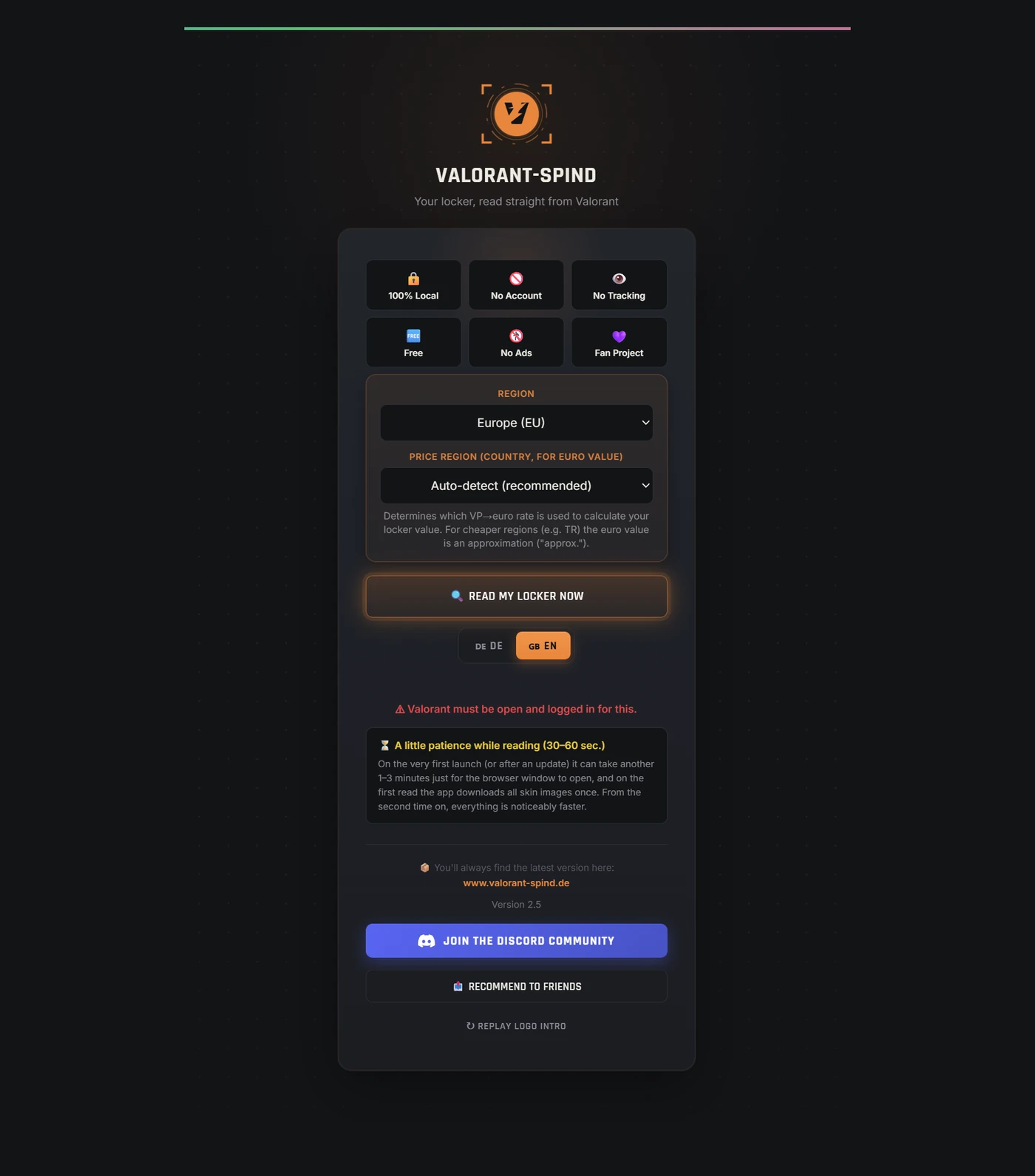
The second route is even more direct and the reason some tools truly need no login at all: as long as Valorant is running on your PC, you are already signed in there. A local program can read that existing session on your own machine – without you typing credentials anywhere again. That is exactly how the Valorant-Spind app works. It only reads data from your running Riot client, writes nothing and does not interfere with the running game. Your locker and match data stay on your PC – no account with us, no server of ours. This route is not approved by Riot, though: Valorant-Spind is unofficial and not registered with Riot.
Maximum data control: local on your PC (Valorant-Spind)
If maximum control matters to you, a purely local analysis is the option that shares the least data – because your data never ends up on the tool provider’s server. That is exactly what Valorant-Spind was built for: a free Windows app that reads your locker value, today's shop, the Night Market and 40+ statistics straight from your own client – plus a coach with heatmaps from your real matches.
Local on your PC – no account, no server of ours
No account with us, no server of our own, no ads, no tracking. The app never asks for a username or password anywhere; it uses the already logged-in Valorant client to fetch your data directly from Riot – exactly like the client itself. It also loads skin names and images (game data) from valorant-api.com (community API, not run by Riot) so your collection looks nice, and checks for updates at launch. Your locker and match data stay on your PC, and none of this interferes with the running game.
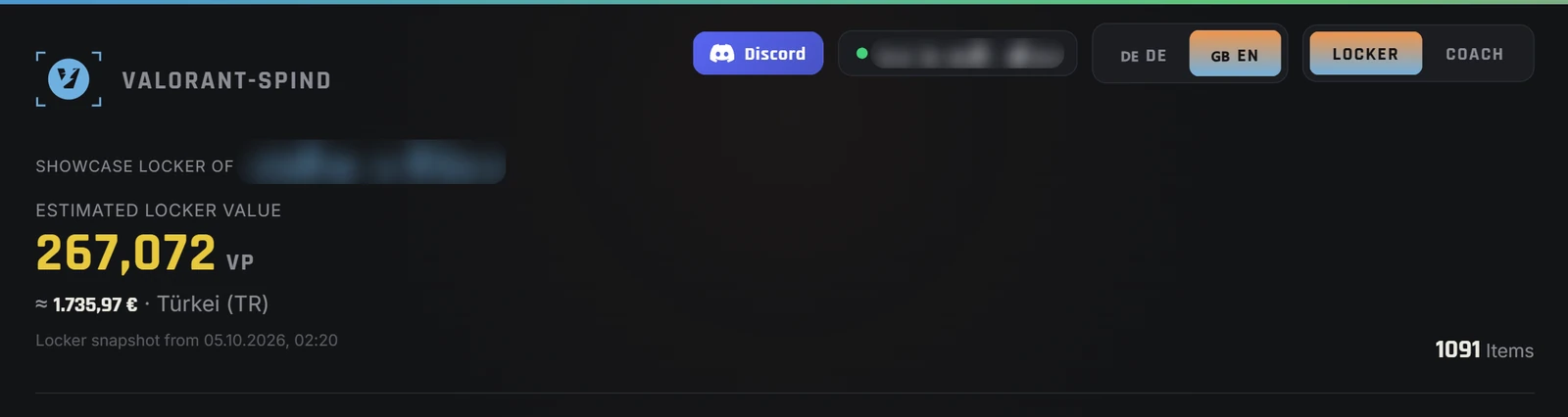
How risky is that? The app meets the signs that make a tracker harmless: it only reads, it doesn't interfere, it asks for no password, and it de-anonymizes no one. It shows you your own skins, your own progress and your own matches – nothing the client hides from you. But to be honest: Valorant-Spind is an unofficial fan tool and is not registered with Riot, even though Riot requires products that serve players to be registered. We are not aware of a single ban – but no one can give a guarantee. How your locker value is made up is explained in depth in our guide to account value, and the pure stat metrics like K/D, ACS, Performance Score and RR are covered in our big guide to the Valorant tracker.
Safe download source: only get the original
One final, often overlooked safety point concerns not the tool itself but where you download it. Especially with popular programs, tampered copies with embedded malware appear on random download portals. So the rule is the same as for any software: only download an app from the developer's official source – for Valorant-Spind that is the official app page with the unmodified original linked there. Only there do you get the unmodified original; you can view the current virus scan report of the released version on VirusTotal (as of Oct 26, 2026: 1 detection out of 71 scanners – DeepInstinct; Microsoft Defender detects nothing, and Microsoft removed an earlier false detection after our submission in October 2026). The SHA-256 checksum of the setup file, the live scan and a how-to for checking it are on the app page under “Verify it yourself”. If you grab some “valorant-spind.exe” from a random site, you bypass the very safety this is all about.
Why doesn't Riot run its own web tracker?
A common misconception is that there must be “the one official” Valorant tracker somewhere. There deliberately isn't. Riot does provide developers with interfaces, but it runs no public tracker platform with charts and leaderboards itself. The reason is obvious: as soon as any provider – Riot or a third party – publicly compiles the stats of arbitrary players at any time, tricky questions about privacy, “name-and-shame” and targeted scouting of opponents arise. Riot therefore leaves this field to third parties and draws clear lines for what they may do. For you that means two things: first, the in-game career tab is the only truly official source for your personal numbers. And second, any site claiming to be “the official Valorant tracker” is dishonest by definition – a warning sign that should make you cautious.
Live overlays: the tempting gray area
Hardly any topic causes as much confusion as in-game overlays. Some programs promise to show you the stats of your teammates and opponents right in agent select, or lay extra info over the screen during the round. As handy as that sounds, it’s just as risky: these are exactly the kinds of tools Riot explicitly warns about. An overlay that shows you opponent stats before a match is classic scouting – forbidden. An overlay that gives you instructions during the round or blocks parts of the map interferes with the fair experience. And tools that de-anonymize streamer-mode names are precisely the ones players have reported bans for.
The rule of thumb is simple: an overlay that only shows your own past numbers (say, for your stream) is fine. An overlay that gives you information about others in the live match is not. When in doubt: better an honest analysis after the match than a risky live overlay that costs you your account.
🔎 Look it up safely without a password: enter your Riot ID in our Valorant tracker – with direct links to tracker.gg, op.gg and Blitz.
Web tracker or local app – which suits you?
Both routes work without a password, but they feel different. A web tracker is ideal if you want to quickly see your public numbers from any device or compare with friends – you enter your Riot ID and go, without installing anything. The price: you mostly see aggregated ladder statistics, and your data runs through the provider's server.
A local app like Valorant-Spind goes the opposite way. It has to be installed once, but in return your data ends up on no provider’s server, and it reaches things a web tracker simply can't see: your full locker value in VP (plus a money value in supported regions), today's shop, the Night Market and a deep match analysis with heatmaps. So if you just want to check your rank quickly, a web tracker is enough. If you want to keep an eye on your collection and seriously work on your game – without your data ending up on a provider’s server – the local app is the stronger choice. Best of all, combine both: the web tracker for a quick number check, the local app for value and real coaching.
Privacy: what a tracker knows about you – and what it doesn't
Finally, perhaps the most reassuring point: a reputable tracker knows only what is public about you anyway. Through the official interface it sees your public match results – kills, deaths, agents, maps, rank. What it does not see is your password, your email, your payment details or private chats. Riot also decides which data is public at all; no tracker can show what isn’t released.
A purely local analysis goes one step further. Because Valorant-Spind runs on your PC and fetches your data only directly from Riot, no profile is created with us – Valorant-Spind simply has no server for that. Your locker and match data stay where they belong: with you. For anyone especially cautious about privacy, that is the cleanest of all solutions – and at the same time the core of what sets this app apart from the big web trackers.
🧭 Takeaway
A tracker is safe when it only reads, doesn't interfere with the game and never asks for your password. Shared data after the match, or your own local analysis, are considered harmless – no third party can guarantee it. Live interference, opponent de-anonymization and password prompts are not.
Checklist: check in 30 seconds whether a tracker is safe
Before you install the next tool or use a tracker site, run through this short list. If you can answer every question with “yes”, you can relax:
- Does the site ask only for my public Riot ID – and not my password?
- Do I get the data after the match, instead of live help in-game?
- Does the tool show only my own or public stats, not others' hidden info?
- Does the provider explain transparently where the data comes from?
- Are there no unrealistic promises like free VP or skins?
- Is there a clear provider with an imprint or a genuine source?
A single “no” isn't proof of a scam – but a password field outside the real Riot sign-in, or a promise of free skins, is an instant stop sign. When in doubt, verify a site's authenticity through the official Valorant support.
What to do if you're unsure or got banned
If you're unsure whether a tool is clean, the simplest protection applies: don't use it and stick to tools that only analyze. If you accidentally entered your password somewhere, change it immediately at account.riotgames.com and enable two-factor verification. And if you received a ban you consider unjustified, contact the official Valorant support directly and describe your case – that is the only way to have a decision reviewed. For anything related to your account, our guides to login, account and support can help.
Don’t trust us blindly – verify it yourself (transparency check)
A fair objection from the community: “The app is closed source – why should I trust it?” The honest answer: you don’t have to trust it at all. The behavior of a Windows app is fully verifiable from the outside – with official, free tools, in under 10 minutes. That’s exactly what we invite you to do.
- Re-check the virus scan yourself (2 min): Download
Valorant-Spind-Setup.exeand drop it onto VirusTotal yourself – around 70 antivirus engines check it at once. You can also find the report for the current version there (as of Oct 26, 2026: 1 detection out of 71 – DeepInstinct, an AI heuristic that often flags new, unsigned programs; Microsoft Defender detects nothing). So you are not relying on our screenshot, but on your own scan. - Watch the network traffic live (5 min): Start TCPView (an official Microsoft Sysinternals tool) or Wireshark, then open the app. What you will see:
127.0.0.1(your own Riot client – the app gets its access token there, and that request stays on your PC); Riot’s game servers such aspd.eu.a.pvp.netandshared.eu.a.pvp.net(depending on your region – that’s where your locker, shop, Night Market, rank and matches come from, exactly as in the Riot client);valorant-api.comandmedia.valorant-api.com(public skin names and images; when you play skin videos, also Riot’s video servervalorant.dyn.riotcdn.net); once per startgist.githubusercontent.com(checking for a new app version) and only in rare casesauth.riotgames.com(if the client doesn’t provide your account country for the price region – using the existing token, with no sign-in and no password). What you will never see: Valorant-Spind servers or third-party services receiving your account or game data – they simply don’t exist. - No password, only your client’s session. The app never asks for your password or email. It only uses the session token of your running Riot client, and only on your PC. Its own interface runs locally at 127.0.0.1; since version 3.0, according to the changelog, only the app window opened at launch may talk to the program – other websites in your browser have no access. Checksum, live scan and the list of all network targets are on the app page under “Verify it yourself”.
| What the app does | What the app never does |
|---|---|
| ✓ Read the local Valorant client (read-only, your PC) | ✗ Ask for email, password or login |
| ✓ Fetch your data directly from Riot through the client and load public skin images from valorant-api.com | ✗ Send your account or game data to us – there is no Valorant-Spind server |
| ✓ Calculate locker value, shop & stats locally | ✗ Interfere with the running game (no overlay cheat, no auto-anything) |
| ✓ Publicly checked on VirusTotal (71 scanners) | ✗ Keep running in the background without your consent |
💡 Why closed source at all? Honest answer: Valorant-Spind is a small fan project, and the source code is not published (yet). Instead of “just trust me”, we rely on something stronger than any promise: verifiable behavior – a public virus scan, observable network traffic, zero password prompts. We are happy to answer developer questions about the tech directly: info@valorant-spind.de.
Frequently asked questions (FAQ)
Why is the Valorant-Spind app not open source?
The source code is not published so far – but the app’s behavior is fully verifiable: anyone can view the VirusTotal report of the released version (as of Oct 26, 2026: 1 detection out of 71 scanners), the network traffic can be watched live with TCPView or Wireshark, and the app never asks for a login or password. Verifiable behavior is stronger than any promise.
How do I check myself which servers the app talks to?
Start the official Microsoft tool TCPView (or Wireshark) and then open the app. You will see: 127.0.0.1 (your own Riot client on your PC), Riot’s game servers (*.a.pvp.net – that’s where your locker, shop and matches come from, exactly as in the client), valorant-api.com (public skin names and images) and, once per start, GitHub (checking for a new app version). Valorant-Spind servers or third-party services receiving account or game data never appear.
Do you get banned for using a Valorant tracker?
For pure analysis trackers that only read the match data you shared after the game, the risk is very low – the best-known provider, tracker.gg, uses the interface Riot has approved. Tools that grab hidden data during a live match, de-anonymize opponents or interfere with the game are risky and potentially bannable. No third-party tool can offer a guarantee.
Is tracker.gg safe?
Yes. tracker.gg is a Riot-recognized third party that uses the official Riot API and only reads public match data. It never asks for your password. The key rule remains: never enter your credentials on any site that is not the real Riot sign-in.
Is there a Valorant tracker without login?
Yes. Web trackers need your public Riot ID in the Name#Tag format and at most a one-time link via the official Riot sign-in – never your password. And local tools like Valorant-Spind read your already logged-in Valorant client directly on your PC, so you never sign in again.
Does a tracker need my password?
No. A reputable tracker never needs your password. It only reads public match data or – for local tools – your already logged-in client. Any site that asks for your full Riot password, for Valorant Points or for free skins is phishing.
Is the Valorant-Spind app safe?
Valorant-Spind runs on your Windows PC and requires no login and no password. Your locker and match data stay on your PC – no account with us, no server of ours. The app only downloads game data (images, names) and checks for updates. Valorant-Spind is an unofficial fan tool and is not registered with Riot. It only reads data from your running Riot client, writes nothing and changes nothing in the game. We are not aware of a single ban – but no one can give a guarantee. Use is at your own risk.
How do I recognize an unsafe tracker?
Warning signs are: asking for your Riot password outside the real Riot sign-in, promises of free Valorant Points or skins, live overlays that show you opponent stats in agent select, and tools that interfere with the game during a match. All of these break Riot's rules or are outright scams.